정적 웹
스크래핑 실습
Session 3 / 8
requests · BeautifulSoup · books.toscrape · 50페이지 자동 수집
박수현 · aSSIST University · 2026
🎨 이미지 프롬프트(배경): "Books flowing through a digital pipeline being parsed by code, abstract data extraction visualization, teal and purple lighting, editorial illustration, no text, 16:9"
이번 시간을 마치면
개념적으로
- ✅ requests 의 역할(HTTP 요청)을 설명한다
- ✅ BeautifulSoup 이 HTML 트리를 파싱하는 원리를 안다
- ✅
select/find_all/find의 차이를 구분한다 - ✅ 페이지네이션 패턴 3가지를 구분한다
- ✅ 윤리적 요청 매너 (User-Agent, sleep, robots.txt) 를 지킨다
실습으로
- ✅ books.toscrape 1페이지 20권 → DataFrame
- ✅ 50페이지 1000권 자동 순회 → CSV
- ✅ 별점·가격을 숫자형으로 변환
- ✅ 실패 처리 (status, retry) 첨가
📖 도서 매핑: Ch.4 전체 + Ch.6 §1 (CSV 저장)
정적 스크래핑 한 줄 파이프라인
1 URL target page
2 requests.get() HTML 받기
3 BeautifulSoup parse → tree
4 select() CSS 선택자
5 속성 추출 .text / [href]
6 DataFrame pandas
7 CSV / Excel to_csv()
🎯 7개 박스 = 오늘의 7단계
각 단계가 한 줄~세 줄 코드. 합쳐도 30줄 안짝.
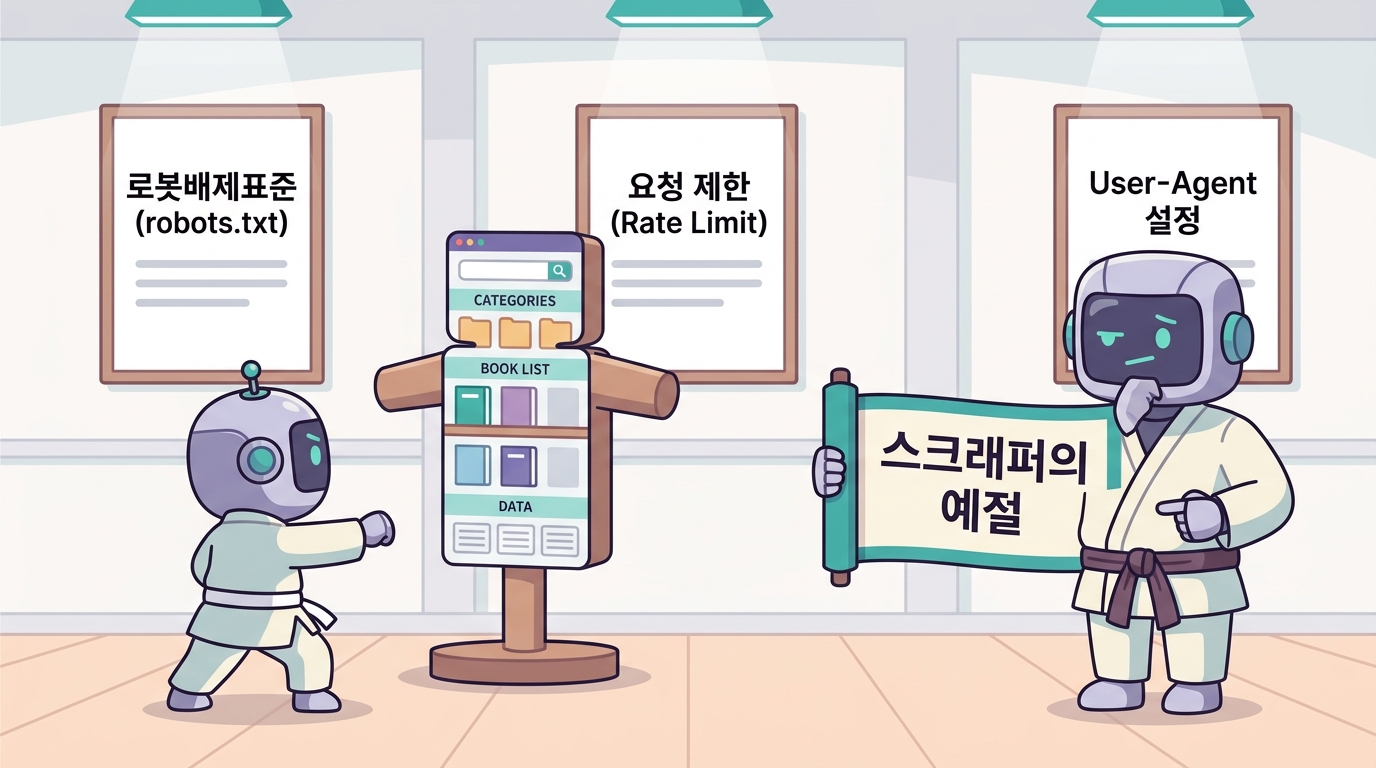
requests
HTTP 클라이언트 라이브러리
브라우저가 하는 일을 코드로
키워드: GET · headers · status_code · text / json
requests.get — 가장 단순한 HTTP 요청
💻 4줄 코드
import requests

url = "https://books.toscrape.com/"
r = requests.get(url)

print(r.status_code)   # 200
print(len(r.text))     # HTML 길이
print(r.text[:200])    # 앞 200자
📋 응답 객체 r 의 핵심 속성
| 속성 | 의미 |
|---|---|
r.status_code |
200 / 404 / 403 |
r.text |
응답 본문 (str) |
r.content |
응답 본문 (bytes) |
r.headers |
응답 헤더 (dict 처럼 사용 — 정확히는 대소문자 무시 CaseInsensitiveDict) |
r.json() |
응답 본문이 JSON 일 때 파싱 → dict 또는 list (JSON 최상위가 객체이면 dict, 배열이면 list) |
r.url |
최종 URL (리다이렉트 후) |
기본 User-Agent (python-requests/x.y.z) 가 차단되어 403 자주
❌ 헤더 없이
r = requests.get("https://example.com")
# 일부 사이트는 거절 (403)
# r.text → 빈 페이지 또는 차단 메시지
✅ 브라우저 흉내
HEADERS = {
    "User-Agent": (
        "Mozilla/5.0 (Windows NT 10.0; Win64; x64) "
        "AppleWebKit/537.36 (KHTML, like Gecko) "
        "Chrome/120.0 Safari/537.36"
    ),
    "Accept-Language": "ko-KR,ko;q=0.9,en;q=0.8",
}

r = requests.get(url, headers=HEADERS, timeout=10)
실습 헤더 체크리스트
- [ ] User-Agent — 거의 모든 사이트
- [ ] Accept-Language — 한국어 페이지 강제
- [ ] Referer — 일부 검사하는 사이트
- [ ] timeout — 무한 대기 방지 (10초)
⚠️ 헤더 없이 보내면 403 / 빈 HTML 반환되는 사이트 많음.
안전한 요청 패턴 — try / status / retry 보일러플레이트
import requests
import time
from typing import Optional

HEADERS = {"User-Agent": "Mozilla/5.0 ... Chrome/120.0"}

def safe_get(url: str, retry: int = 3, sleep: float = 1.0) -> Optional[str]:
    """요청 + 재시도 + 매너있는 sleep."""
    for i in range(retry):
        try:
            r = requests.get(url, headers=HEADERS, timeout=10)
            if r.status_code == 200:
                time.sleep(sleep)         # 서버 배려
                return r.text
            if r.status_code == 429:      # Too Many Requests
                time.sleep(sleep * (i+2)) # 선형 백오프 (재시도마다 +sleep)
                continue
            print(f"⚠️ {r.status_code} {url}")
            return None
        except requests.RequestException as e:
            print(f"🔁 {i+1}/{retry} {e}")
            time.sleep(sleep * (i+1))
    return None
🎯 이 함수 한 개가 회차 3·4·5의 모든 요청 베이스.
BeautifulSoup
HTML 트리 파서
HTML 문자열을 → DOM 트리 객체로
키워드: select · find_all · find · 속성 추출
BeautifulSoup 첫 파싱 — 4줄 코드
💻 코드
import requests
from bs4 import BeautifulSoup

html = requests.get(
    "https://books.toscrape.com/",
    headers=HEADERS).text
soup = BeautifulSoup(html, "html.parser")

# 첫 책 제목
print(soup.select_one(
    "article.product_pod h3 a")["title"])
# → "A Light in the Attic"
⚙️ 파서 선택
| parser | 장점 | 설치 |
|---|---|---|
html.parser |
표준, 무설치 | 기본 |
lxml |
빠르고 관대함 | pip install lxml |
html5lib |
가장 표준 준수 | pip install html5lib |
📌 「관대함」 = 닫히지 않은 태그·엉터리 HTML 도 무리 없이 파싱. 실제 사이트 HTML 은 깨진 부분이 많아
lxml추천.
📌 권장: lxml (속도 + 관대함). 없으면
html.parser.
select / select_one — CSS 선택자 그대로 적용
💻 5종 추출
# 1) 카드 1개 (첫 번째)
card = soup.select_one(
    "article.product_pod")

# 2) 카드 전체 (리스트)
cards = soup.select(
    "article.product_pod")
print(len(cards))  # 20

# 3) 카드 안의 제목
title = card.select_one("h3 a")["title"]

# 4) 가격
price = card.select_one(
    ".price_color").text  # "£51.77"

# 5) 별점
rating = card.select_one(
    ".star-rating")["class"][1]
# → "Three"
🎯 select 쓰는 이유
- 브라우저 F12 (개발자 도구) 에서 복사한 CSS 선택자를 그대로 인자로
- 기억할 문법 적음
- 회차 2 → 3 자연스러운 흐름
도서 캡처와 동일한 선택자 —
article.product_pod가 카드 단위.
find / find_all — 태그·속성 dict 기반 검색
💻 select 와 등가
# find / find_all  ↔  select_one / select
# 결과 객체 종류는 같지만 인자 문법이 다름
# (find = 태그 + 속성 dict / select = CSS 선택자 문자열)
soup.find("article", class_="product_pod")
soup.find_all("article",
              class_="product_pod")

# 속성으로 찾기
soup.find("a",
          href="/catalogue/page-2.html")
soup.find_all("img",
              attrs={"alt": True})

# 텍스트로 찾기
import re
soup.find_all(string=re.compile("£"))
🤔 어느 쪽을 쓸까
- CSS 선택자가 친숙하면 →
select(권장) - 속성 dict 필요하면 →
find도 OK - 두 방식은 혼용 가능, 같은 BeautifulSoup 객체에서
💡 도서·강의에서는 select 통일 — F12 발굴 → 그대로 사용 흐름.
속성·텍스트 추출 4가지 — text / get / [attr] / strings
💻 4가지 접근
el = soup.select_one("article.product_pod")

# 1) 텍스트만
el.select_one("h3 a").text
# → "A Light in ..."

# 2) 속성값 — 대괄호
el.select_one("h3 a")["title"]
el.select_one("a")["href"]
el.select_one("img")["src"]

# 3) 안전 추출 — get
el.get("data-price")  # 없으면 None

# 4) 자식 순회
for child in el.children:
    print(child.name)
📋 표현 비교
| 표현 | 의미 |
|---|---|
.text |
모든 자식 텍스트 합침 |
.string |
자식 1개일 때만 |
["attr"] |
속성값, 없으면 KeyError |
.get("attr") |
속성값, 없으면 None — ["attr"] 의 안전 버전 |
📌 BS4 의 Tag 객체는 dict 처럼 동작 — 속성 접근에
el["title"]또는el.get("title")사용..get()은 dict 의 동일 메서드와 같은 의미 (없을 때 안전하게 None).
1페이지
20권 한 번에
카드 1개 추출 → for 문 → 20개 행
books.toscrape 1페이지 — 20권
import requests
from bs4 import BeautifulSoup

url = "https://books.toscrape.com/"
html = requests.get(url, headers=HEADERS).text
soup = BeautifulSoup(html, "lxml")

books = []
for card in soup.select("article.product_pod"):
    title  = card.select_one("h3 a")["title"]
    price  = card.select_one(".price_color").text       # "£51.77"
    stock  = card.select_one(".availability").text.strip()
    rating = card.select_one(".star-rating")["class"][1]  # "Three"
    href   = card.select_one("h3 a")["href"]

    books.append({
        "title": title, "price": price, "stock": stock,
        "rating": rating, "url": href,
    })

print(len(books), books[0])
🎯 이 20줄이 정적 스크래핑의 본질.
가격·별점 → 숫자형 변환 (분석 가능한 데이터로)
💻 정규식 + 매핑
import re

RATING_MAP = {"One":1, "Two":2, "Three":3,
              "Four":4, "Five":5}

def to_price(s: str) -> float:
    """'£51.77' → 51.77"""
    return float(re.sub(r"[^\d.]", "", s))

def to_rating(s: str) -> int:
    return RATING_MAP.get(s, 0)

# 후처리
for b in books:
    b["price_num"]  = to_price(b["price"])
    b["rating_num"] = to_rating(b["rating"])
    b["in_stock"]   = "In stock" in b["stock"]
🎯 왜 후처리가 중요?
- 통계·시각화는 숫자만 받음
- pandas
groupby,.mean(),.plot()모두 숫자 기반 - 정규식 1줄로 통화기호·콤마 제거
📌 회차 4 의 pandas/시각화는 모두 이 숫자형 컬럼 위에서.
결과를 DataFrame 으로 묶어 CSV 저장
💻 저장 / 로드
import pandas as pd

df = pd.DataFrame(books)
print(df.head())
print(df.describe())

# 저장 (한글 깨짐 방지)
df.to_csv("books_p1.csv", index=False,
          encoding="utf-8-sig")
df.to_excel("books_p1.xlsx", index=False)

# 다시 읽기
df2 = pd.read_csv("books_p1.csv")
🇰🇷 utf-8-sig 가 답
- Excel 한국어 환경에서 한글 깨짐 방지
- BOM (Byte Order Mark, 파일 맨 앞 3바이트의 인코딩 표시) 자동 추가 → Excel 이 UTF-8 로 인식. BOM 이 없으면 Excel 이 기본값(CP949)으로 읽어 한글 깨짐
- 윈도우 Excel 기본 인코딩 호환

⚠️
index=False잊으면 Unnamed:0 열 생김.
페이지네이션
N페이지 자동 순회
한 페이지가 아니라 전체를 모은다
페이지네이션 패턴 3가지 — query / path / 무한스크롤
📋 패턴 표
| 패턴 | 예시 URL | 처리 방법 |
|---|---|---|
| 숫자 page | /catalogue/page-2.html |
URL 의 페이지 번호만 1, 2, 3... 바꾸는 for 루프 |
| 쿼리 ?page= | /list?page=2&size=20 |
f-string 으로 ?page={n} 조립해 요청 |
| offset | /list?offset=20&limit=20 |
offset 을 limit (예: 20) 만큼 증가시키며 반복 |
| 무한 스크롤 | (URL 안 바뀜) | requests 로 안 됨 → 회차 5 (API 직접) / 회차 6 (Selenium 스크롤) |
🎯 books.toscrape 의 패턴
.../catalogue/page-1.html
.../catalogue/page-2.html
...
.../catalogue/page-50.html
페이지 번호만 바꾸는 for 루프가 스크래핑의 절반.
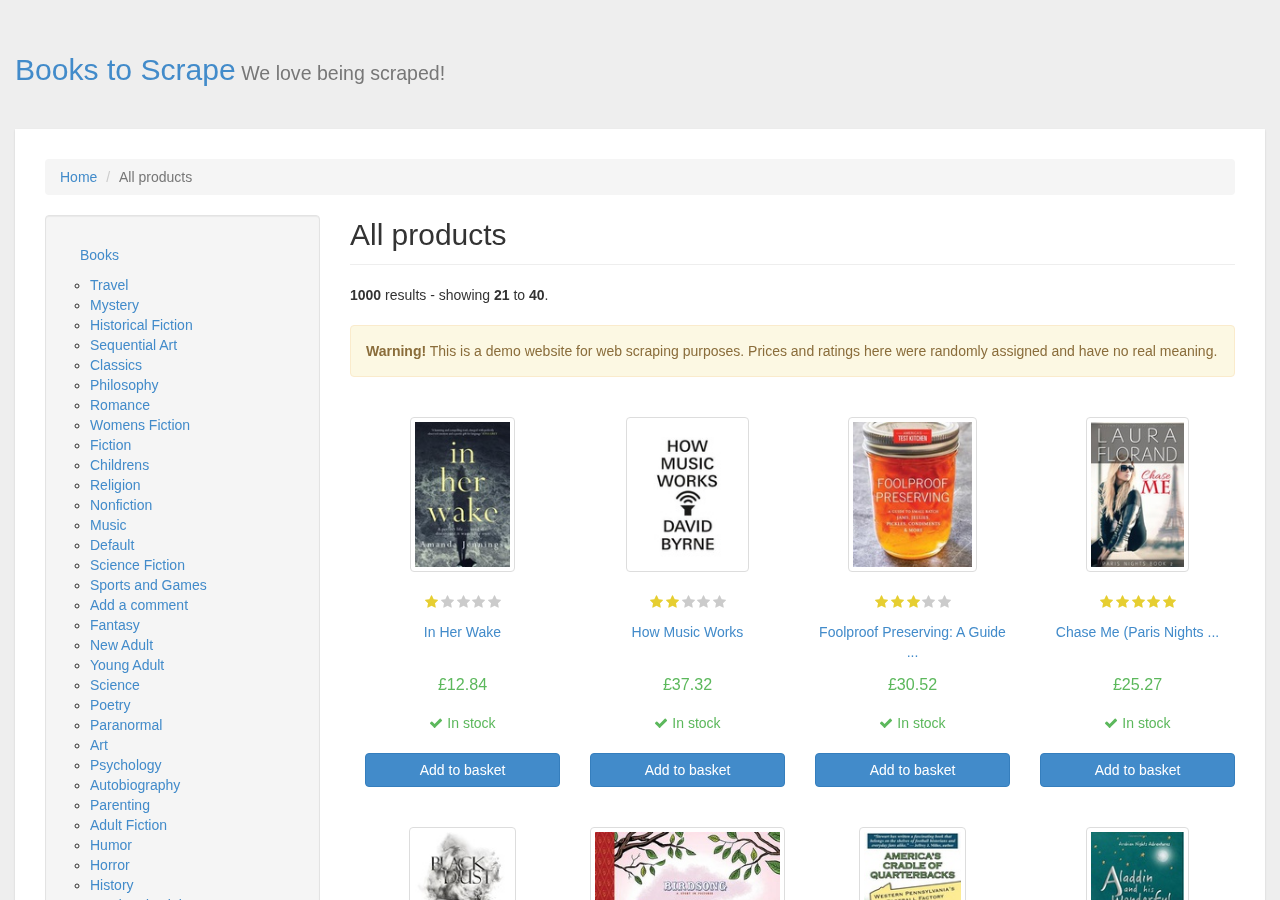
한 함수로 묶고, 50페이지 자동 순회
🧩 ① 카드 한 페이지 파싱 함수
import pandas as pd
from bs4 import BeautifulSoup

def parse_page(url: str) -> list[dict]:
    html = safe_get(url)
    if not html:
        return []
    soup = BeautifulSoup(html, "lxml")
    rows = []
    for card in soup.select("article.product_pod"):
        rows.append({
            "title": card.select_one("h3 a")["title"],
            "price": to_price(card.select_one(".price_color").text),
            "rating": to_rating(
                card.select_one(".star-rating")["class"][1]),
        })
    return rows
🔁 ② 50페이지 루프 + CSV 저장
# 50페이지 = 1,000권
all_books = []
for page in range(1, 51):
    url = (
        f"https://books.toscrape.com/"
        f"catalogue/page-{page}.html"
    )
    rows = parse_page(url)
    if not rows:
        print(f"⚠️ page {page} 스킵")
        continue
    all_books.extend(rows)
    print(f"✓ page {page}: {len(rows)}건 "
          f"(누적 {len(all_books)})")

pd.DataFrame(all_books).to_csv(
    "books_all.csv",
    index=False,
    encoding="utf-8-sig",
)
🎯 약 2~3분 소요. 윤리적 sleep 은
safe_get안에 포함.
위 코드는 사실 — 프롬프트 한 장이면 끝
💬 Antigravity / ChatGPT 입력 scraper.py
📋 prompt prompts/ch04_prompts.md 📄 example examples/ch04/scraper.py
Python 스크립트 scraper.py 를 만들어 줘.
목적: https://books.toscrape.com/ 의 1~50 페이지를 순회하며
책 1,000 권의 제목·가격·평점·상세 링크를 수집해 books.csv 로 저장.

요구사항:
1. 라이브러리: requests, beautifulsoup4, 표준 csv, time,
   urllib.robotparser.RobotFileParser
2. 시작 시 robots.txt 읽고 crawl_delay("*") 값을 time.sleep
   지연으로 사용. 값이 없으면 1초.
3. 각 요청마다 rp.can_fetch("*", url) 로 허용 여부 확인 →
   차단된 URL 은 스킵.
4. User-Agent 헤더 + timeout=10 초. 200 아니면 스킵.
5. URL 패턴: https://books.toscrape.com/catalogue/page-{n}.html
6. article.product_pod 에서 다음 필드 추출:
   - title:  h3 a 의 title 속성
   - price:  .price_color 의 텍스트
   - rating: .star-rating 의 두 번째 class (One~Five) → 1~5
   - link:   h3 a href 의 절대 URL
7. books.csv 에 utf-8-sig BOM, csv.DictWriter 로 저장.
   필드 순서: title, price, rating, link
8. 끝나면 "완료: N권 → books.csv" 출력.
9. 에러는 메시지만 찍고 다음 페이지로 진행.

환경: Python 3.11, venv 활성화.
코드만 답변(설명문 금지), 주석은 한국어로 핵심만.
🎯 이 수업의 핵심 흐름
- 요구사항을 자연어로 정확히 작성 ← 이 능력이 곧 「코딩 실력」
- AI 에 붙여넣고 결과 코드 받기
- 코드를 읽고 검증 — 슬라이드 19 의 코드가 그것
- 실행해보고 동작 확인
- 문제가 있으면 → 프롬프트의 요구사항을 다듬어 재요청
💡 프롬프트 = 명세서.
모호한 한 줄 ("books.toscrape 좀 긁어줘") 대신, 이 정도로 구체적인 요구사항 을 적을 수 있어야 AI 가 안정적인 코드를 만든다.
📖 본 강의의 모든 코드는
prompts/의 챕터별 프롬프트 모음에 원본이 있습니다 — 회차 3 의 이 코드는ch04_prompts.md에서 그대로.
자주 발생하는 에러 5종 — 디버그 체크리스트
# 1) 빈 리스트 → 선택자 잘못
cards = soup.select("article.product_pod")
assert len(cards) == 20, f"카드가 {len(cards)}개 — 선택자 확인"

# 2) AttributeError: NoneType has no attribute 'text'
#    → select_one 이 None
title = card.select_one("h3 a")
if title is None:
    print("⚠️ 제목 누락 카드:", card.get("class"))
    continue

# 3) KeyError: 'href'
href = card.select_one("a").get("href", "")  # 안전한 .get

# 4) 인코딩 깨짐 (한글)
r.encoding = r.apparent_encoding  # 자동 감지
text = r.content.decode("utf-8", errors="replace")

# 5) ConnectionError / Timeout
#    → safe_get 의 retry 로 흡수
🎯 99%의 에러 = 5번 안에 있다.
사이트에 부담 없는
스크래퍼 매너 4가지
기술적으로 가능한 일이라도, 합법·윤리·매너의 세 잣대를 통과해야 합니다 —
robots.txt·sleep·User-Agent·이용약관.
robots.txt 확인 — 사이트 정책 5초 점검
📜 robots.txt 형식
User-agent: *
Disallow: /admin/
Disallow: /private/
Allow: /catalogue/
Crawl-delay: 1
Disallow: /path→ 들어가면 안 됨Allow: /path→ 명시적 허용Crawl-delay: 1→ 1초 간격 권고 — 비표준 확장 (Google 봇 등 일부는 무시). 그래도 매너로 따른다
🐍 Python 으로 자동 체크
from urllib.robotparser import RobotFileParser

rp = RobotFileParser()
rp.set_url("https://books.toscrape.com/robots.txt")
rp.read()

print(rp.can_fetch("*",
    "https://books.toscrape.com/catalogue/page-1.html"))
# → True
⚠️ robots.txt 는 법적 강제력 없음. 그러나 무시 = 차단·소송 빌미.
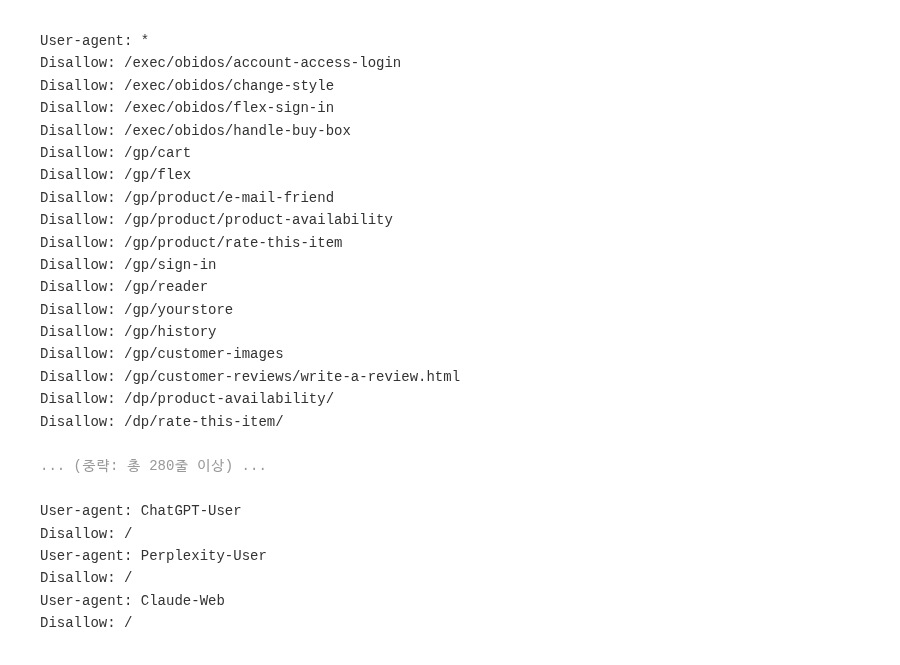
매너있는 스크래퍼 5계명 — 차단·법적 위험 회피
✋ 5계명 — 행동 규칙
| # | 계명 | 코드 / 도구 |
|---|---|---|
| 1 | robots.txt 확인 | urllib.robotparser |
| 2 | User-Agent 명시 | headers={"User-Agent": ...} |
| 3 | 요청 간격 1초 이상 | time.sleep(1.0) |
| 4 | 동시 접속 제한 | 단일 thread 또는 Semaphore(5) (동시 5개까지만 허용하는 동시성 락) |
| 5 | API 우선·약관 확인 | 회차 5 (API 우선 전략) |

📚 회차 0(OT)·회차 4 미리보기
윤리는 회차 0(OT) 에서 판례 4건과 함께 본격 다룸 — 잡코리아 vs 사람인(120억) · 야놀자 vs 여기어때(민사 10억) · 네이버 vs 다윈중개(7~8천만) · HiQ vs LinkedIn(미국).
미니 실습
코드로 직접 따라하기
50권 → DataFrame → CSV → 시각화 1장
미니 실습 — books.toscrape 1,000권 수집
1단계 — 수집
- [ ] books.toscrape 의 3페이지 책 60권 수집
- [ ] DataFrame 컬럼:
title,price,rating,url - [ ] CSV 저장:
my_books.csv
2단계 — 분석
- [ ]
df.describe()결과 캡처 - [ ] 별점별 평균 가격:
df.groupby("rating")["price"].mean() - [ ] 가장 비싼 책 1권의 제목 출력
3단계 — 시각화 미리보기
- [ ]
df["rating"].value_counts().plot.bar()실행 - [ ] PNG 파일로 저장
제출
my_books.csv+analysis.py(또는 .ipynb)
회차 4 미리보기 — 회차 3 데이터를 분석·시각화
import pandas as pd
df = pd.read_csv("my_books.csv")          # 오늘 만든 데이터

# 회차 4 — pandas 정제
df["price"].mean()                        # 통계
df.groupby("rating")["price"].agg(["mean","std","count"])

# 회차 4 — 시각화
import matplotlib.pyplot as plt
df.groupby("rating")["price"].mean().plot.bar()
plt.title("Average Price by Rating")
plt.savefig("fig1.png", dpi=200, bbox_inches="tight")
🎯 회차 4 는 오늘 데이터 위에서 시작.
정적 스크래핑
한 번 익히면 30분이면 끝
오늘의 정리 7가지
requests.get(url, headers=HEADERS, timeout=10)— 한 줄 요청BeautifulSoup(html, "lxml").select(...)— 트리 파싱 + CSS 선택- 속성 4가지:
.text/["attr"]/.get(...)/.children - safe_get 보일러플레이트 — retry + sleep + status 체크
- 숫자형 변환 —
re.sub(r"[^\d.]", "", s)+ 매핑 dict - 페이지네이션 —
f"...page-{n}.html"for 루프 - 윤리 5계명 — robots.txt 확인 / User-Agent 명시 / 1초 sleep / 동시 접속 제한 / API 우선·약관 확인
"오늘 만든 30줄 = 평생 쓰는 도구."